Students also have to download the launcher of the game via this link: https://tinyurl.com/2cvs77k2.
The install process is described at page 6 to page 9 of the manual. Please refer this step by step guidance. You can download the manual.
If this is your first time using Build as Nature, you need to create an account. Click the registration option and enter a username and a password. No real name or email address is requested, to minimize the amount of personal data kept on our servers.
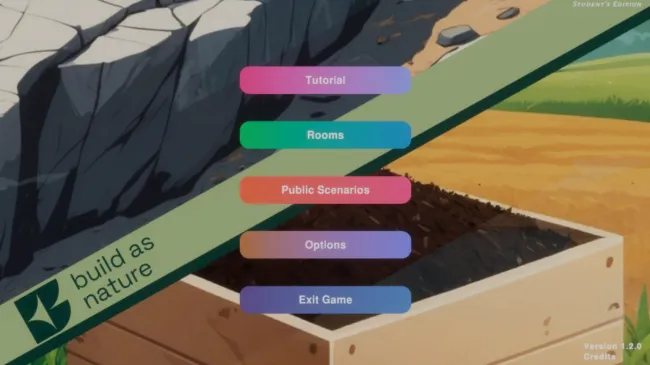
There are three categories available on the home screen:
- Tutorial
- Rooms
- Public Scenarios
Rooms
The rooms screen shows all the rooms a student has already joined. Each entry shows the title and the description of the room.
You can search for a specific or a new room by using the search bar at the top right corner of the screen.
Clicking a room brings up its entry, with all the details and the actions available:
- Leave — you are removed from the room, and you will no longer have access to it.
- Play — lets you play the scenario that is slotted into the room.
- Back —returns you to the rooms screen.
To join a room, click the Join room button and enter a valid room code. The room code will usually be provided to you by your teachers.
Once you have joined a new room, it will appear on the rooms screen, and you can access it as described above. In rooms you can save your progress in the game and you are able to access an analytics screen to evaluate your gaming actions.
Public Scenarios
You also have access to the public scenarios repository, which contains scenarios published by diferent teachers. These scenarios are available for anyone to play without first joining a Room.
You can search for specific scenarios by using the search bar at the top right corner of the screen.
By clicking on a scenario entry and then clicking on the preview button you can play the selected scenario. Keep in mind that when you experience public scenarios you cannot save your progress.
Please refer to the tutorial or the manual to more game specific question.